
Buy Tickets Online in Hawaii: 7 Steps to Avoid Fee Surprises

To complete a step by step ticket purchase, find the exact event, sign in, check the total price and the delivery method, pay, and save your confirmation. Those two checks matter most, because the FTC’s fee rule requires the total price upfront. Visiting Hawaii? We sell Flight of Aloha tickets online for Kona and Maui.
TL;DR:
- Live event sellers must display mandatory fees in the total before checkout, while taxes or shipping calculated later must appear before payment.
- Check the event date, venue, section, delivery method, and refund or transfer terms before paying, then save the order number and receipt.
- Mobile barcodes typically appear 3–7 days before an event, though organizers can delay access; add available tickets to Apple Wallet or Google Wallet before leaving.
- For sold out events, check official resale first, pay by credit card, and avoid sellers demanding wire transfers, gift cards, cash, or crypto.
- Prepare for presales by signing up for artist or venue alerts, keeping any code ready, and signing in with payment details saved before sales open.
What should you check before you buy tickets online?
Run this quick list before you open a single checkout page. This quick check can help you avoid surprise fees and the wrong delivery type.
- Look for the total price with mandatory fees included, since sellers of live-event tickets must show it before checkout.
- Confirm how your tickets arrive: mobile entry, print-at-home, mail, or will call.
- Have your account login and payment card ready so you are not hunting for them at the onsale moment.
- Note the date, time, seat or section, and the refund or transfer policy.
- Keep your contact info handy and plan to save the payment confirmation for support.
How do you buy tickets online, step by step?
Follow these steps in order. The first few happen before you ever see a price, and the last few protect you after you pay.
- Find the exact event. Verify the date, time, and venue. Start from the official event or venue page when you can, because that is where the real inventory lives.
- Use the filters and seat map. Narrow by date, price, and section. Check the exact seat location and any accessibility needs before you click a seat, not after.
- Check for presales. Many events open to fan clubs, venues, or card holders first. Sign up for alerts and find your code ahead of the onsale window.
- Prep your account. Create an account or sign in, and pre-save your payment and contact details securely. Speed at checkout is mostly preparation.
- Add tickets to your cart. Watch the timer, but do not let it rush you. Experts recommend ignoring checkout timers and verifying the price, delivery terms, and refund policy first.
- Review the total. Confirm the all-in price, delivery method, taxes, and refund or transfer terms. Costs a seller cannot calculate in advance, like taxes or shipping, must be disclosed before payment.
- Pay and record everything. Complete payment, write down the order number, and save the confirmation email plus a screenshot of the receipt.
Pro Tip: Open a second tab with the event page while you check out, so you can compare the date, venue, and section against your cart one last time.
Want a fee-focused version of this process? Our guide on how to buy tickets without a service fee goes deeper on price transparency.
How do you get and use your tickets after buying?
Delivery is where well-planned purchases still go wrong. Know which type you bought, because each one works differently at the door.
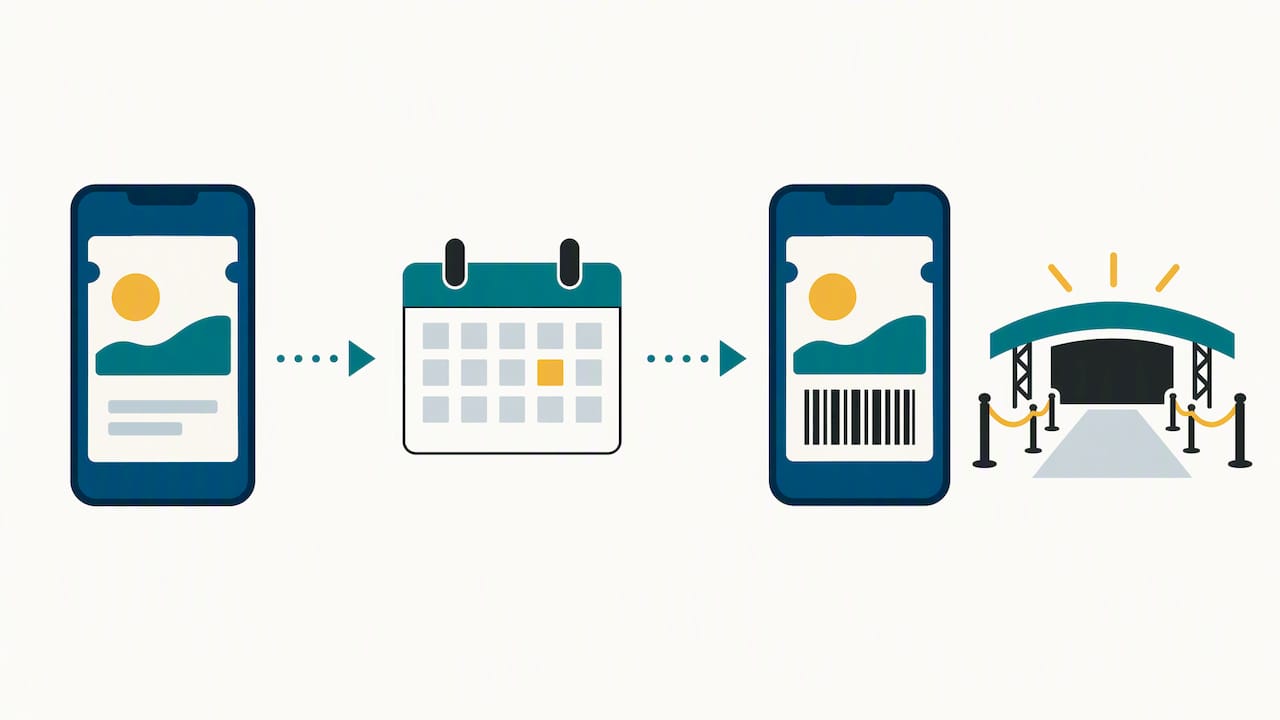
- Mobile entry: A barcode lives in the venue’s app or your phone wallet. Mobile barcodes typically become accessible 3–7 days before the event, though organizers can set delays.
- Print-at-home: You download a PDF on a computer and print it. Some organizers hold access until a set date.
- Mail: Physical tickets ship to you, so allow shipping time and confirm your address.
- Will call: You pick up at the venue. Bring the card you paid with and a photo ID.
Add mobile tickets to Apple Wallet or Google Wallet before you leave, so the barcode still works without cell service. Be careful with screenshots: screenshots or paper tickets from unknown sellers are likely scams, and they may not be valid for entry.
Mobile barcodes usually appear 3–7 days before the event, so do not panic if your ticket looks empty the day after you buy.
When should you buy, and what if the event is sold out?
Timing is half the game for popular shows. A little routine beats luck.
- Hunt for presales through the artist, venue, fan club, or a credit card offer, and keep the code ready.
- Be signed in with payment saved a few minutes before the advertised onsale time.
- Expect that inventory sometimes releases in waves, so check again later if the first drop sells out.
- If it is sold out, look at official resale marketplaces first and read the seller protections before paying.
- Ignore pressure from countdown clocks. Take the extra moment to confirm the total and the refund or transfer policy.
If you are juggling travel plans too, this overview of digital reservations for travelers explains how confirmations and delivery systems work behind the scenes.
How do you pay safely and spot scam listings?
The way you pay is your best protection. When you buy from a marketplace or reseller, use a credit card and check the seller’s refund rules before you commit.
- Skip wire transfers, gift cards, cash, and crypto for ticket purchases. They are hard to reverse.
- Confirm the seller’s “tickets in hand” status, refund and transfer rules, and contact details.
- Walk away from time-pressure tactics and fees that appear late in checkout.
- Remember the FTC rule on unfair or deceptive fees targets bait-and-switch pricing in live-event ticketing.
Pro Tip: If a seller will only accept a payment method you cannot dispute, treat that as your answer and close the tab.
Thinking of reselling instead? Our steps for selling tickets online safely show the same caution from the other side.
Why does quick online booking matter for Hawaii travelers?
Our view is simple: the best ticket is the one you booked before the day got busy. If you are on a cruise, shore time is short, and booking ahead from your phone beats standing in a line. Flight of Aloha sits within walking distance of Kailua Pier and the Tender Dock in Kona, and we also welcome guests at Whalers Village Kaanapali on Maui. When rain rolls in or vog thickens the air, an indoor, air-conditioned show is a comfortable plan B that anyone can enjoy.
— Ola
Book Flight of Aloha online for Kona and Maui

We are Native Hawaiian-owned, and we sell single-show tickets, double-feature options, VIP packages, and annual passes online for our Kona and Whalers Village Kaanapali locations. Single shows run $29.99–$34.99, our double feature is $49.99–$59.99, and our VIP package is $69.99–$79.99. Think of us as the smart alternative to a helicopter tour: aerial views of Hawaii without the $400 price tag or the motion sickness. Need a walkthrough first? Our step-by-step Kona booking guide makes it quick. Book online to secure your seat.
FAQ
Can I get a refund from Ticketmaster?
Sometimes, but it depends on the event organizer. When refunds are allowed, the platform sends them to your original payment method. You can check eligibility on your account’s order page.
How do I get my tickets after booking online?
Check your confirmation email and your account’s order page. Mobile tickets usually appear in the venue’s app or your wallet, and barcodes may stay hidden until a date the organizer sets.
What can I do when an event is sold out?
Check official resale marketplaces and read the seller protections before you pay. Pay by credit card, and avoid anyone who pushes you toward payment methods you cannot reverse.
Can I print my Ticketmaster tickets?
Yes, when the event offers print-at-home delivery. You download a PDF on a desktop computer, and some events hold access until a set date.
Sources
- The Rule on Unfair or Deceptive Fees: Frequently Asked Questions | Federal Trade Commission
- Ticketmaster
- How to make your World Cup experience scam free | Consumer Advice