
Turn Screens into Family Fun, with a Flight of Aloha Example

Used intentionally, technology can create shared, memorable family moments if adults plan the activity, choose cooperative formats, and protect face to face time. The role of technology in family fun comes down to co-use, not distraction: watching, playing, or building something together converts screen time into bonding time. This guide lays out the research, the rules, and the games worth trying tonight.
TL;DR:
- Setting a family media plan with visible rules and designated screen-free zones encourages consistent tech habits and reduces daily negotiation struggles.
- Choosing cooperative games with shared decision-making and physical elements ensures all family members actively participate and enjoy screen time together.
- Engaging in joint media activities that involve discussion, creativity, or storytelling enhances learning and strengthens family communication.
- Using structured and themed virtual calls with roles, prompts, and accessibility features helps maintain meaningful remote family interactions.
- Protecting routines by making mealtime, sleep, and movement device-free can prevent technology from displacing important family habits and reduce behavior problems.
1. Build a tech-positive family environment
A family media plan beats a single screen-time number because it tells everyone what tech is for, not just how much of it they get. The American Academy of Pediatrics recommends using a Family Media Plan that sets screen-free zones and times, encourages co-use, and tailors rules by age instead of enforcing a flat hourly limit.
Visible systems do a lot of the heavy lifting. A charging station by the front door, a countdown timer on the counter, and a consistent cue for “five more minutes” removes the daily negotiation because the rule lives outside any one parent’s mood. Kids also follow rules better when they help write them, and when adults visibly follow the same ones.
Try this short setup this week:
- Pick one screen-free zone (dinner table, bedrooms) and one screen-free time (first 30 minutes after school).
- Set a visible timer for shared screen activities so endings feel planned, not punitive.
- Ask each kid for one rule they think is fair, and add it to the plan.
- Post the plan somewhere everyone sees daily, like the fridge.
Pro Tip: Review the plan monthly. Family media plans work better as living documents than one-time lectures.
2. Interactive family games that avoid the parent-spectator trap
Many digital games quietly sort families into a child-player and parent-spectator setup, where one person holds the controller and everyone else watches. Lab analyses of digital play recommend picking games built for parallel interaction or cooperative roles instead, so every player has something to do.
Look for these features when choosing a game:
- Shared decision-making, where outcomes depend on more than one player’s choices.
- Motion or physical elements, like motion-based bowling or pickleball titles that get everyone standing.
- Multi-player support built in, rather than a single-controller design.
- Low skill gap, so a six-year-old and a grandparent can both contribute.
A photo scavenger hunt using phones works well for mixed ages because the camera becomes the shared tool rather than the game itself. Cooperative digital board games and motion sports titles follow the same logic: everyone has a job, whether it’s rolling dice, calling the next clue, or keeping score.
Pro Tip: If a game only has one controller, give the adult a job anyway, scorekeeper, narrator, or photographer, so the activity stays shared instead of watched.
3. Turn screen time into learning you can talk about
Joint media engagement, or JME, describes watching or playing together in a way that turns media into a conversation starter rather than a babysitter. A 2024 peer-reviewed study of parents and children ages 1 to 5 validated separate ways to measure shared video watching and shared digital-game play, confirming that sitting together and engaging together are genuinely different experiences worth tracking separately.
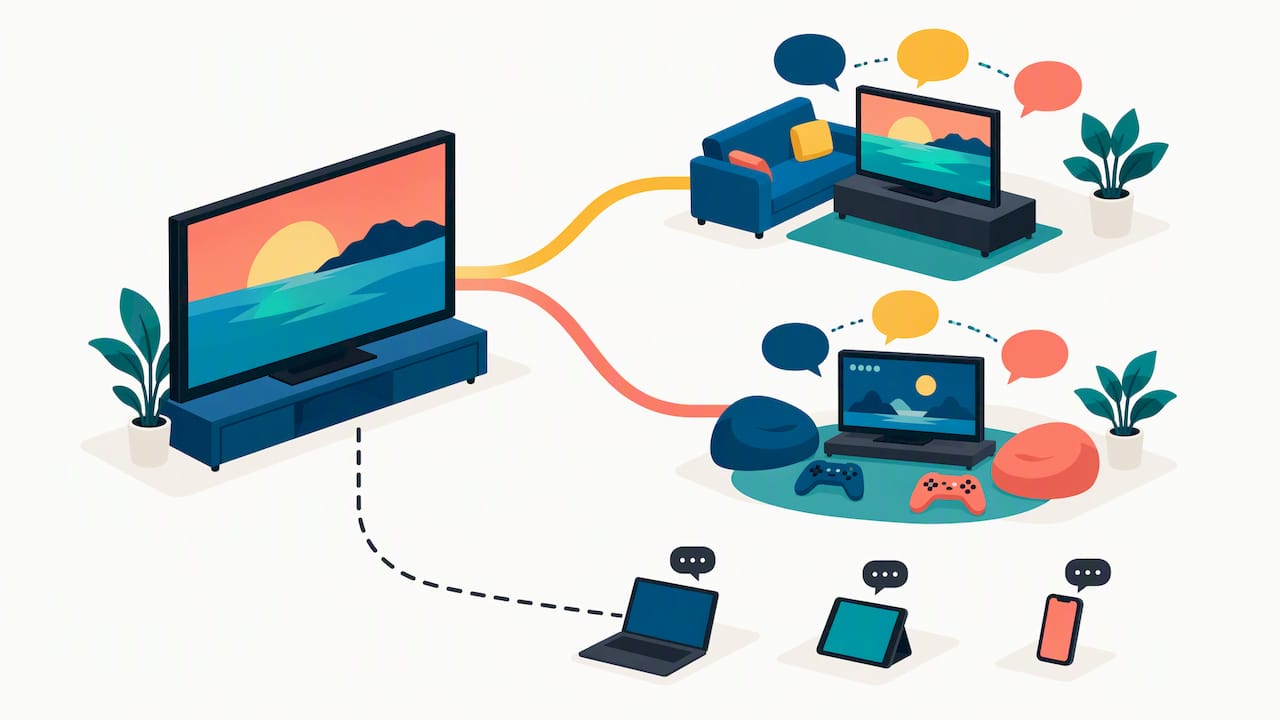
The learning payoff depends on adult scaffolding. A validated Joint Media Engagement Games scale identifies cognitive, affective, and technical scaffolding as the mechanisms that make gameplay educational, meaning the adult’s questions and comments during play matter as much as the content itself.
A few templates worth trying:
- Watch and discuss: pause a nature documentary every ten minutes and ask one open question.
- Family podcast: record a five-minute episode where each person shares one highlight from the week.
- Virtual museum tour plus craft: tour a gallery online, then recreate one piece with crayons or clay.
- Collaborative photo album: let each family member caption the same set of photos differently.
Toddlers do best with propped shared viewing where an adult sits close and narrates. School-age kids thrive on joint creative projects they can finish in one sitting. Tweens and teens respond better to negotiated co-viewing, where they pick the show and you ask the questions.
4. Digital storytelling: memory projects and safe sharing
Short family videos and audio recordings turn ordinary tech into a family archive. A simple project, like a two-minute “episode” recapping a weekend trip, gives kids editing practice and gives everyone a reason to rewatch it later.
Projects worth trying:
- Record a short interview with a grandparent about their childhood and save it to a shared album.
- Build a collaborative slideshow where each person adds captions to the same photos.
- Create an annual “memory reel” of 10 to 15 clips from the year, under five minutes total.
- Use a shared cloud album with limited access instead of a public social feed.
Keep sharing settings tight: a private family album beats a public post, and most phone editing apps let you export without uploading anywhere. These projects work best when they circle back to real conversation, asking a grandparent to retell a story on camera often surfaces details that never came up at the dinner table.
5. Make virtual family time feel real, not just a call
A video call becomes a memory when it has structure. Open-ended “just checking in” calls tend to stall, but a themed 20 to 30 minute call built around one activity keeps everyone engaged.
- Pick a simple theme: show-and-tell, a recipe demo, or a two-song exchange where each side plays a favorite track.
- Assign roles before the call: a host to keep time, a storyteller for that week’s update, and a tech helper to manage screen sharing.
- Prepare one shared prompt or slide in advance so there’s no scramble to fill silence.
- Build in accessibility: turn on closed captions, send a simple one-click link, and offer a call-in number for relatives who struggle with video apps.
A rehearsed screen share, even a thirty-second practice run before the real call, avoids the fumbling that makes older relatives dread video chats.
6. Balance and limits: protect sleep, movement, and meals
Technoference describes the way devices quietly crowd out routines that matter, sleep, movement, and mealtime conversation. Observational studies using parent-submitted videos found that background and mealtime television associate with more child behavior problems, while a related family-stress study of 247 families confirmed that context, not just screen presence, shapes the outcome.
Simple swaps protect the routines that tech tends to displace:
- Make meals device-free for everyone, adults included.
- Build in morning movement, a walk or stretch, before any screen turns on.
- Keep a short list of “boredom-buster” alternatives (cards, a sketchbook, a jump rope) within reach for the moments screens would otherwise fill by default.
- Use a visual timer and a two to three minute grace message before shutting a screen off, and always name the next activity out loud.
For more screen-free ideas, this list of screen-free activities for kids offers practical swaps that fit easily into the routines above.
Pro Tip: Naming the next activity, “movie ends, then we build the fort,” cuts transition meltdowns far more than a bare countdown.
7. An immersive theater as a model for shared tech experiences
Large-format visuals and synchronized sensory cues, sound, scent, and motion together, invite a kind of shared attention that a personal screen rarely produces, and they tend to spark conversation afterward rather than silence. We built Flight of Aloha around that idea, pairing immersive technology with Hawaiian cultural storytelling so a family watches the same story unfold together rather than scattering onto separate devices. For more on how interactivity shapes shared attractions, see our piece on the role of interactivity in family attractions.
8. A note on practical parenting and accessible fun
We think the best use of technology in family life rarely looks flashy. It looks like a parent asking one good question during a show, or a grandparent rehearsing a video call so it goes smoothly. Cultural storytelling and accessibility guide our own design choices, and we’d encourage any parent to borrow whatever here fits their own household and skip the rest.
— Ola
Another option worth considering: Flight of Aloha
If you’re weighing a helicopter tour for aerial views of Hawaii, we offer a comfortable alternative. We skip the $400 price tag and the motion sickness risk while still delivering sweeping, large-format flight visuals, wind, scent, and motion effects synced to Hawaiian storytelling. We’re Native Hawaiian-owned, and we built this experience to be the most accessible attraction in Kona and Maui, suited to grandparents and toddlers alike.

Our Kailua-Kona location is conveniently close to local piers, making it an easy shore excursion for cruise visitors with limited time. Our Maui location at Whalers Village Kaanapali offers a similar experience, with reliable indoor comfort on rainy days or when vog rolls in, and excellent air conditioning.
- Single flights like Naupaka or Lahaina run $29.99 to $34.99.
- A Double Feature Flying Ride runs $49.99 to $59.99 for two shows back to back.
- Families wanting extra comfort can choose the VIP Package at $69.99 to $79.99.
- Frequent visitors can save with the Annual Pass at $200 per year.
Book online to secure your seat.
FAQ
What is the term for cutting off family members?
Family estrangement is the general term for a deliberate, lasting cutoff between family members, often following unresolved conflict. It’s a separate issue from everyday technology use, though poor communication habits can sometimes contribute to the distance that leads there.
What are the negative impacts of technology on family relationships?
Technology can crowd out routines like meals, sleep, and face to face conversation when it runs in the background without intention. Research on family media use links background and mealtime television to more child behavior problems, which is why device-free zones during key routines matter.
What are the most common reasons for family breakdown?
Family breakdown typically stems from unresolved conflict, poor communication, and diverging values or life circumstances rather than any single cause. Technology use can worsen existing tension when it replaces conversation, but it’s rarely the root cause on its own.
What are 5 positive impacts of technology on society?
Technology broadly supports faster communication across distance, easier access to education and information, tools for creative expression, new ways to preserve family and cultural history, and more accessible entertainment for people of varying ages and abilities. Within family life specifically, those same strengths show up as virtual reunions, co-viewing and shared games, and storytelling projects that keep family history alive.
Does a family media plan actually reduce screen-time conflict?
A family media plan reduces conflict by setting shared expectations in advance instead of negotiating in the moment. The AAP’s Family Media Plan guidance recommends screen-free zones, co-use, and age-tailored rules rather than one blanket number, which tends to hold up better across different ages in the same household.
Sources
- Validation of measures for shared media engagement, 2024
- The Family Media Plan | Pediatrics | American Academy of Pediatrics